3D rendering has revolutionized visual communication across industries, offering unprecedented realism and creative possibilities. However, the path to creating stunning 3D visuals is fraught with challenges that designers must navigate. From artistic hurdles to technical constraints, workflow complexities, and common pitfalls, the process of 3D rendering demands a multifaceted skill set and unwavering attention to detail. Let’s dig into the various challenges a designer or new 3D artists can face and what common mistakes to avoid for a successful 3D rendering outsourcing.
Part 1. 3D Rendering Use Scenario Across Industries
Part 2. Top 4 Artistic Challenges in Creating 3D Rendering
Part 3. Top 3 Hardware Challenges in Creating 3D Rendering
Part 4. Top 5 Workflow Challenges in Creating 3D Rendering
Part 5. Top 8 Common 3D Rendering Mistakes to Avoid
Part 6. Tips for Successful 3D Rendering Outsourcing
Part 1. 3D Rendering Use Scenario Across Industries
3D rendering plays a crucial role across various industries, providing powerful tools for visualization, design, marketing, and customer engagement. Let’s check the popular usage of 3D visualization in different sectors:
1. Architecture and Construction
3D architectural rendering aids urban planning and architectural design by visualizing future developments and their impact on the environment. It identifies and corrects potential design issues before construction and presents the architectural design to clients and stakeholders. Making planning permission much easier. For the real estate industry, 3D real estate rendering has become an indispensable tool for pre-selling and marketing properties with real estate listings, brochures, and advertisements. Moreover, 3D rendering is used to create virtual tours of properties, providing immersive virtual 3D walkthroughs so buyers can explore the properties remotely before a property is built to attract interest and secure sales.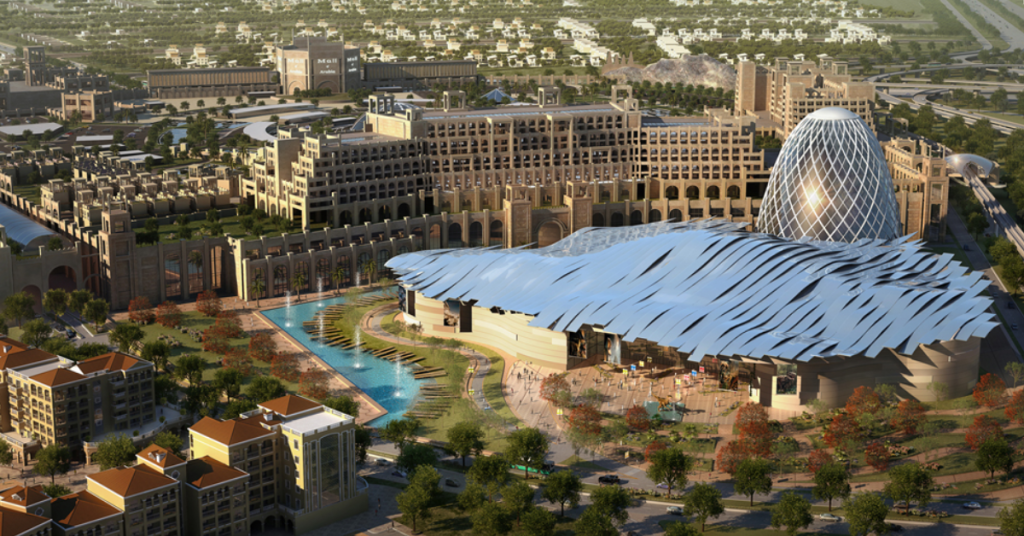

2. Interior Designs
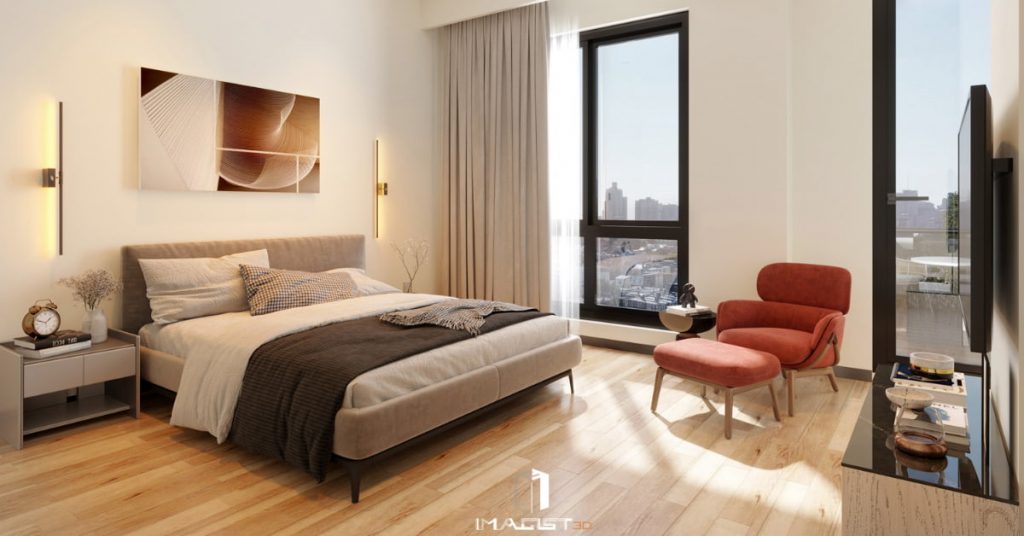
Much like architects, interior designers also rely on 3D interior renderings to visualize and conceptualize a space, trying different layouts, and testing furniture arrangements and decor choices. This technology streamlines the client approval process by reducing misunderstandings and leading to more informed decisions.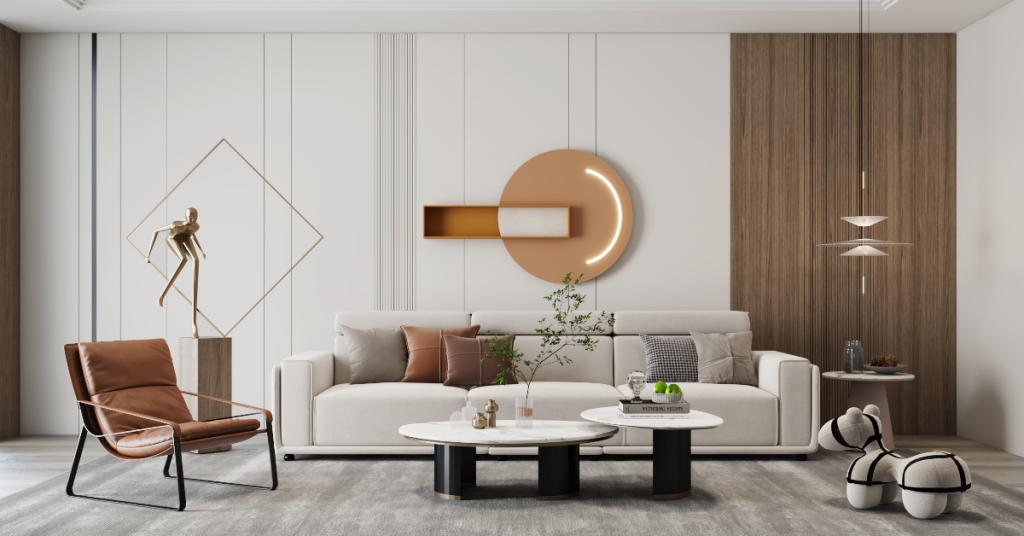
3. Product Design and Manufacturing
In product design and manufacturing, 3D product rendering creates virtual prototypes, simulates manufacturing processes, and visualizes products before they are physically produced. This way enables designers to visualize and refine products without the need for physical prototypes, saving time and resources, which is particularly beneficial in industries where rapid prototyping is critical.
4. Retail and E-Commerce
3D product rendering assists in evaluating functionality and design aesthetics as well as serving marketing purposes, from E-Commerce to catalogs and billboard advertisements, providing lifelike representations of products, marketing materials, and packaging designs. Virtual try-on experiences are also popular in apparel, shoes, jewelry, and cosmetics markets, showing items from different angles, materials, colors, and styles. Virtual fitting rooms further enhance the AR shopping experience by allowing customers to find their best fit size and visualize how the items look on them before purchasing.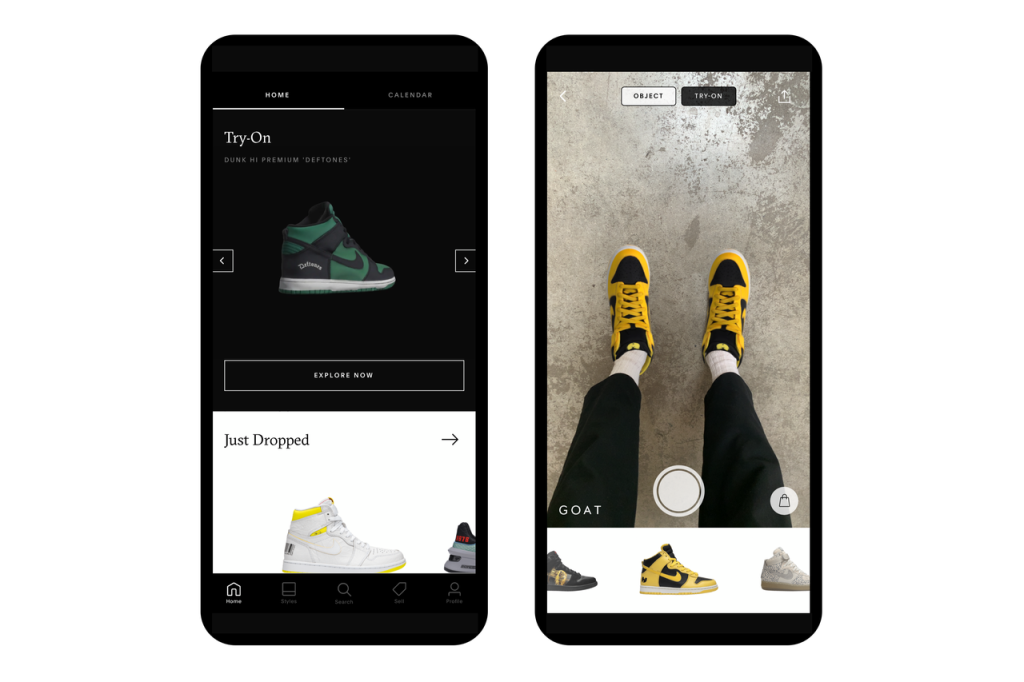
5. Automotive
In the automotive industry, 3D rendering is widely used for product design and prototyping, allowing manufacturers to visualize new vehicle designs, parts, and accessories before they are produced. It enhances marketing efforts by generating high-quality images and 3D car animation for advertisements, brochures, and digital campaigns. Virtual showrooms enable customers to explore vehicle exterior and interior wherever they want.
6. Gaming, Entertainment & Media
In the entertainment industry, 3D rendering is primarily used for visual effects in films, TV, and video games, allowing for the creation of a highly realistic 3D environment and intricate characters that would be difficult to achieve in real life, as well as creating characters and objects to significantly enhancing storytelling and visual appeal.
7. Medical and Healthcare
3D rendering has found crucial applications in healthcare for creating detailed images of complex anatomical structures, aiding education, diagnostics, and surgical planning, and allowing doctors to visualize complex procedures before performing them. Patient education has also been enhanced, with 3D rendering helping to explain procedures and conditions more understandably. Medical devices are visualized to facilitate design validation, training, and marketing.
3D rendering offers significant advantages across various fields, and benefits across various professional domains. For product designers, it streamlines the design process and helps enhance both the functionality and aesthetics of their products. Manufacturers can reduce prototyping costs and time by using accurate digital representations before moving to physical production. It appears that 3D rendering is a valuable asset that anyone can utilize to streamline their workflows. While this is true, the learning curve associated with 3D rendering can be quite steep and challenging, requiring significant time and effort to achieve proficiency.
Part 2. Artistic Challenges in Creating 3D Rendering
Creating a compelling 3D rendering is an intricate art that blends technical skill with creative vision. Designers must pay close attention to exploring these artistic challenges in detail, highlighting how to overcome and create immersive, believable 3D scenes.
1. Model Realism
A foundational aspect of creating a realistic image is the model itself. 3D models must be accurate in terms of proportions, size, and details. To achieve true realism, designers should carefully study anatomy, and physics, precise modeling techniques, and a deep understanding of the real-world object properties being recreated.
2. Realistic Materials
Achieving realistic materials in 3D rendering is a complex challenge that requires meticulous attention to texture mapping, advanced shading techniques, and accurate light interaction simulation when crafting lifelike materials like glass, metal, and fabric due to their complex light-scattering properties. Even minor inaccuracies can break the illusion of reality. Creating convincing materials involves an accurate representation of surface properties such as reflectivity, refraction, and microscopic surface variations.
4. Lighting
Lighting is often the most neglected yet vital component of 3D rendering. Mastery of lighting techniques is essential for bringing out details, creating depth, guiding the viewer’s attention, and enhancing the overall mood and narrative of a scene. It’s about crafting a scene that feels authentic and compelling to the viewer. Effective lighting involves complex light behaviors such as global illumination, caustics, and subsurface scattering. It requires an experienced 3D artist who understands both the technical aspects of light simulation in 3D software and the artistic principles of lighting design to enhance the realism and emotional impact of their 3D renders, elevating their work to a professional level.
Part 3. Hardware Challenges in Creating 3D Rendering
The creation of high-quality 3D renderings is not only an artistic endeavor but also a technically demanding process that heavily relies on robust hardware. Designers often encounter various hardware challenges that can impede their workflow and affect the quality of their output. Additionally, file management and compatibility issues can further complicate the rendering process. In this section, we will delve into these hardware challenges, examining their implications for designers and offering strategies to navigate them effectively.
1. Hardware Requirements and Limitations
High-quality 3D rendering demands powerful hardware, such as high-end GPUs, substantial RAM, and powerful processors. Additionally, managing heat generation and power consumption is also significant. Meeting these requirements often demands frequent hardware upgrades to keep pace with advancing software capabilities, which results in financial costs. Insufficient processing power can significantly limit rendering capacities, especially when dealing with complex scenes or real-time applications.
2. Computational Demands
Photorealistic 3D renderings require immense processing power. Complex scenes where calculations must occur in milliseconds to maintain a smooth user experience can take hours or even days to render, creating a constant need for 3D artists to balance quality and efficiency. Networking infrastructure is strained by the bandwidth requirements for transferring large data files and streaming high-fidelity 3D content.
3. File Management and Compatibility
Handling large 3D models and rendered images poses challenges in storage, file sharing, and network performance. To alleviate the strain on GPUs and bandwidth, 3D models are frequently compressed. However, improper compression methods can result in data loss and reduced visual fidelity. Therefore, selecting appropriate compression techniques is crucial to maintain acceptable quality levels, balancing file size reduction with maintaining visual quality to meet industries with high visual fidelity demand. Additionally, compatibility issues between different software, plugins, and hardware can cause unexpected errors or software crashes, further slowing down the workflows. Managing large file sizes associated with 3D models and rendered images are critical to maintain quality and efficiency.
Part 4. Workflow Challenges in Creating 3D Rendering
Besides a steep learning curve for studying software tools, designers may also face challenges related to the availability of ready-made 3D models, compatibility issues between different software applications, and effective time management. These workflow hurdles are crucial aspects to address for both individual artists and design teams alike. In this section, we will explore these workflow challenges in detail, shedding light on their effects on designers and offering practical solutions to streamline the rendering process.
1. Software Learning Curves
Designers who create 3D rendering on their own often face steep learning curves having to familiarize themselves with the intricate interface and master various tools and techniques. Not being familiar with the interface and the rendering skills can result in technical issues such as mesh errors, holes, overlaps, and non-manifold geometry, which will make rendering even more complicated.
2. Access to Ready-Made Assets
Realistic 3D assets are usually used as an environment element in 3D rendering. For example, a ready-made detailed 3D couch can add a realistic visual appeal to a 3D interior rendering. Designers who don’t have a diverse asset library will need extra time sourcing 3D assets or building textures, models, and material on their own, which can be resource-intensive and may result in inconsistencies in visual quality.
3. Software Interoperability and Compatibility
Some big projects will require designers to learn multiple software packages for modeling, rendering, and post-processing, which have their quirks and best practices. Difficulties in seamlessly transitioning between different 3D and 2D software can lead to data loss, and version mismatches, and disrupt the workflow as it requires additional time for conversion, troubleshooting, and rework to ensure smooth operation and data fidelity.
4. Time Management
Designers are occupied with multiple tasks, from design ideation, concept design, pitching stakeholders, and collaboration with builders and contractors. Balancing design time and render time is critical to meet project deadlines without trade-off render quality.
5. Communication Barriers
Communicating design concepts and progress to non-technical clients requires strong communication skills and more advanced render skills. Verbal descriptions have nothing to compare to visual descriptions. Visual demonstration helps clients and stakeholders vision designers design concepts, avoid misunderstandings streamline the process, and foster better teamwork.
Part 5. Common 3D Rendering Mistakes to Avoid
Creating compelling 3D renderings requires a keen eye for detail, a solid understanding of the software, and a methodical approach to the creative process. Mistakes such as failing to plan the composition, relying on default settings, or ignoring crucial elements like scale, textures, and lighting can significantly impact the final result. Understanding these errors and taking steps to avoid them is essential for producing professional-grade renders that meet both aesthetic and technical standards.
1. Failing to Plan the Overall Composition
Many new 3D artists jump straight into 3D modeling without first planning the overall composition. This often results in unbalanced elements, awkward framing, and a lack of focus. 3D rendering green hands are highly recommended to take time to establish a clear visual direction for the scene using composition rules like the rule of thirds, leading lines, and focal points. In this way, you can easily create a more well-structured and visually appealing render.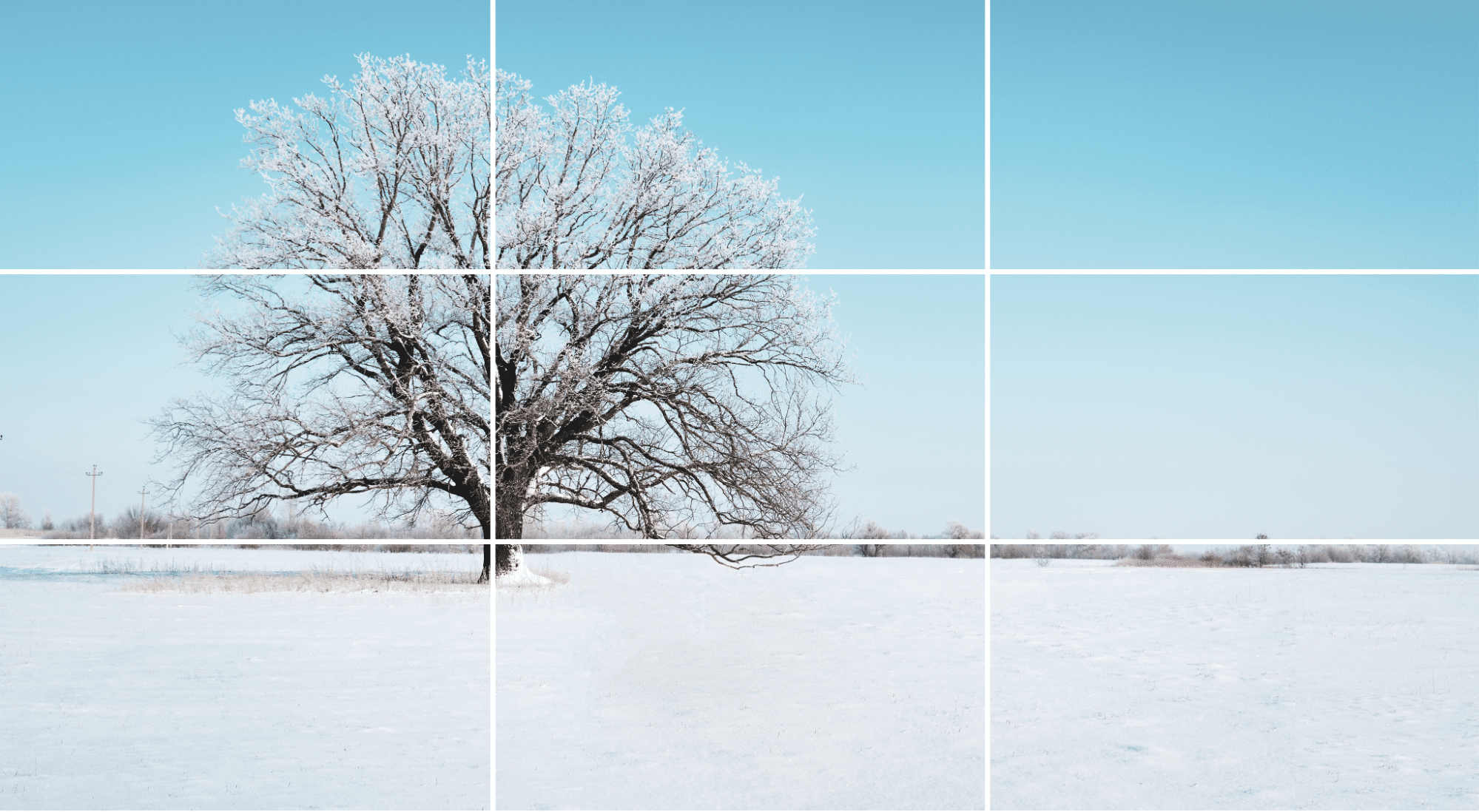
2. Relying Solely on Default Settings
It sounds tempting to use software default settings to start creating 3D rendering, especially when there’s a tight deadline. However, relying solely on default settings for materials, lighting, and camera can lead to generic and unrealistic renders that lack depth and creativity. Experience with different camera angles, lighting setups, and material properties to find the most suitable setting for this specific rendering. Also adjusting parameters like roughness, reflectivity, or subsurface scattering can dramatically improve the realism and uniqueness of your work.
3. Ignoring Scale and Proportion
Overlooking accurate scaling and proportions can result in unrealistic objects and distortion within a scene. This is particularly fatal in projects where accuracy is crucial, such as architectural visualization and product visualization projects. Always use reference images or real-world dimensions to ensure that objects are correctly scaled. Setting a consistent unit system in your software also maintains proportion accuracy throughout the project. Consider adding human figures or familiar objects in the scene as a reference to provide scale context.
4. Overlooking Material, Textures, and Assets
Materials, textures, and assets play a significant role in determining the appearance and realism of your 3D renderings. Not using them properly can make a scene look flat, unrealistic, and visually unappealing, ruining an otherwise well-modeled scene. Invest time in understanding how different materials behave in real life, and select or create high-quality textures and materials that match the intended surface characteristics. Adjust material properties like reflectivity, transparency, and bump mapping to enhance realism. Consider adding subtle imperfections like scratches or smudges to increase realism. When using pre-made assets, ensure they match the quality and style of your custom work.
5. Overlooking Physics and Context
Sometimes new 3D artists and designers neglect real-world physics and environmental context, such as gravity and how materials interact with each other. To solve this, designers should consider the physical properties of objects and the context of their scenes to ensure that objects are placed on the surfaces, liquids behave realistically, and the environment is consistent with the intended setting.
6. Neglecting Proper Lighting Setup
Like physics and environment context, a fine-tuned lighting setup can bring up the desired atmosphere and achieve the desired mood the designer intends. To prevent the render from looking flat, overexposed, or underexposed, the key lies in experimenting with different lighting sources and considering factors like light sources, shadows, reflections, and color temperature. Use different lighting techniques such as three-point lighting or HDRI maps to create depth and realism. Adjust light intensity, color, and shadows to match the mood and environment of the scene. For example, if your scene is set outdoors, ensure the lighting and atmosphere match the time of day and weather conditions you’re depicting.
7. Neglecting Post-Processing
Post-processing is the last to fine-tune details and enhance the quality of the final image, offering a balanced look that complements the original scene without over-editing. Use techniques such as color correction, noise reduction, sharpening, and contrast adjustments, to subtly enhance the render.

Part 6. Tips for Successful 3D Rendering Outsourcing
Outsourcing 3D rendering allows designers to focus on their core strengths—creativity, client engagement, and design innovation—while ensuring high-quality visuals from professional 3D renderers. It saves time, boosts efficiency, and helps designers meet tight deadlines without compromising on quality. Here are 4 practical tips designers can take for a successful 3D rendering outsourcing:
1. Establish Clear Communication
Effective communication is the cornerstone of successful outsourcing. Establishing clear communication from the outset ensures that everyone is on the same page. Regular email updates can also facilitate more feedback and interactions, allowing for immediate clarification of ideas and expectations. Set up a communication schedule that includes daily or weekly check-ins, depending on the project’s complexity and timeline. This proactive approach helps to identify potential issues early and fosters a collaborative atmosphere where feedback can be exchanged freely.
2. Provide Detailed Briefs
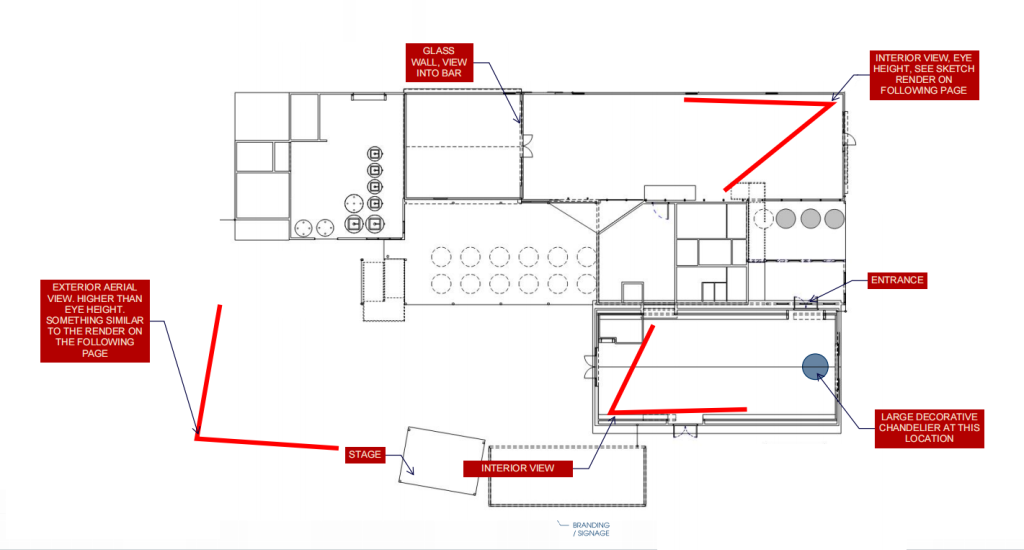
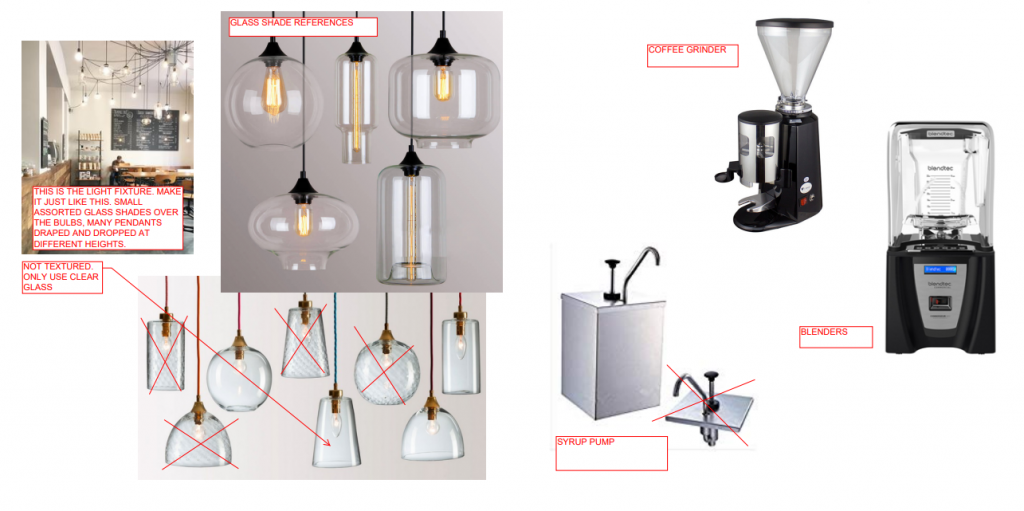
A well-crafted project brief is essential for guiding the outsourced team in delivering results that align with your vision. Take the time to create comprehensive briefs that include not only the technical specifications but also the creative direction. Incorporate visual references, mood boards, and examples of styles you admire to convey your aesthetic preferences. Be explicit about the desired outcomes, including any specific requirements for textures, lighting, and color schemes. Additionally, consider including information about the target audience and the context in which the 3D renderings will be used. The more detailed and clear your brief, the better equipped the outsourced team will be to meet your expectations.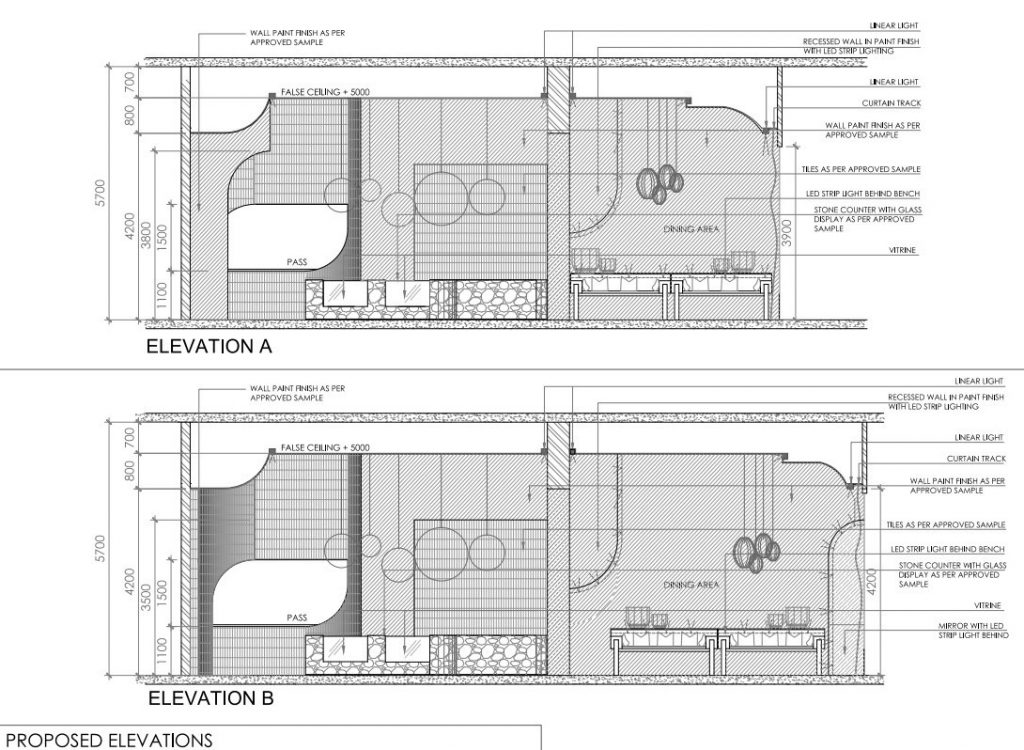
3. Prioritize Quality over Cost
While budget considerations are important, prioritizing quality over cost can lead to better long-term outcomes. When selecting an outsourcing partner, look for professionals who have a proven track record of delivering high-quality work that aligns with your design standards. It may be tempting to choose the cheapest option, but this can often result in subpar results that require additional revisions, ultimately costing more time and money. Instead, focus on finding a balance between cost and quality, investing in talented professionals who can bring your vision to life with precision and skill.
4. Build Long-Term Relationships
Establishing long-term relationships with trusted outsourcing partners can significantly enhance your workflow and the quality of your projects. When you work with the same team repeatedly, they become more familiar with your design style, preferences, and expectations, leading to more efficient collaboration. Take the time to nurture these relationships by providing feedback, recognizing their contributions, and involving them in future projects. Consider creating a preferred vendor list of reliable partners who understand your needs and can deliver consistently high-quality work.
As we’ve explored, the journey of creating high-quality 3D renderings is complex and multifaceted, presenting designers with artistic, technical, and workflow challenges at every turn. While these obstacles can be daunting, they also offer opportunities for growth and innovation in the field. For businesses and individuals seeking to harness the power of 3D visualization without navigating these challenges internally, partnering with professional 3D rendering services can be an effective solution. These specialized providers bring expertise, advanced technologies, and streamlined workflows to the table, helping clients achieve stunning visual results while avoiding common pitfalls. This collaboration enables designers to elevate their work, ensuring they deliver stunning visuals that resonate with clients and stand out in a competitive landscape. Embracing these solutions can lead to more efficient workflows and ultimately, greater success in the realm of 3D design.